

Every ChatGPT Query Has a Power Bill And You Might Be Paying It


Apr 27, 20267 min read
Why Design Patterns Fail in Production: The Textbook Lies
Design patterns solve abstract problems in abstract ways. But production code is not abstract. It is...
Devesh Korde
April 4, 2026
Here is the honest version of how most developers encounter design patterns.
They read about them in a book. Or a blog post. They learn the names. They nod along. Then they go back to writing code exactly the way they were before, except now they have a vocabulary for why their code feels messy.
That is not how patterns are supposed to work.
Patterns are not decorations you put on code that already exists. They are a shared language. When you name a thing correctly, the next developer who opens your file does not need to reverse-engineer your intent. They recognise the shape. They know the rules. They can move faster because you gave them a map.
That is what this post is about. Not theory. Not class diagrams with fifty arrows. The actual moment when you reach for one of these and why. And the moment you should not.
The idea: One instance. Exactly one. No matter how many times something asks for it.
A Singleton ensures that only one object of a class exists during the lifetime of your application. Every time something asks for that object, it gets back the same one. Not a copy. The same one.
The classic use cases are things like a database connection pool, a logger, a configuration manager, or an application-level cache. Things where having two would cause problems. Two logger instances writing to the same file at the same time. Two config objects that read different values at startup and never reconcile. You want one, you want it consistent, and you want it available everywhere.
The mental model is simple. The first time something asks for the instance, it gets created. Every time after that, the same one is returned. The mechanism that controls this lives inside the class itself, not in the code that uses it.
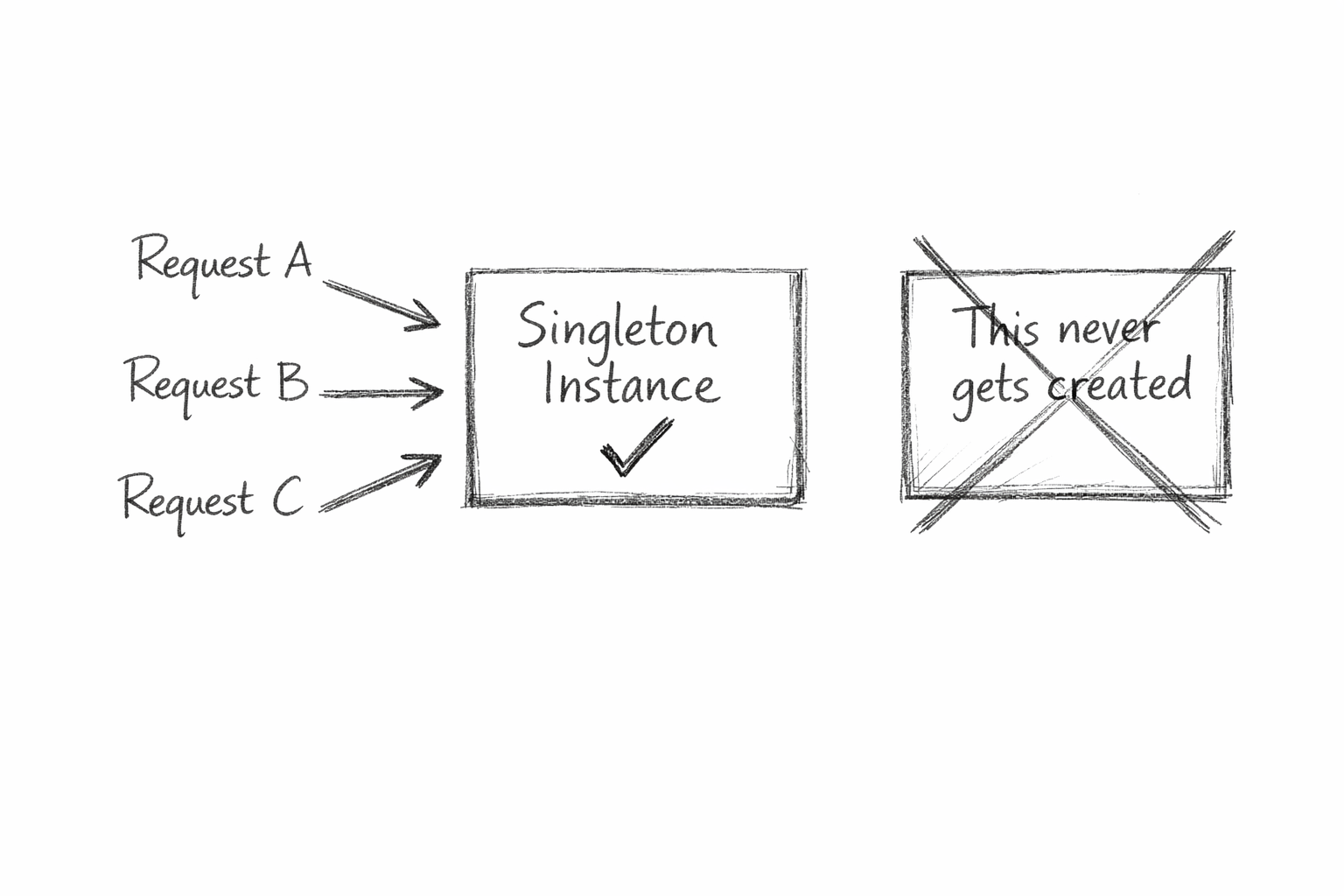
When to use it: When you have a resource that is expensive to create, must be shared, and where two copies would cause inconsistency or waste. One connection pool. One event bus. One feature flag store.
The downside nobody talks about enough: Singletons are global state with a fancier name. They make testing harder because you cannot easily swap them out for a mock. They create hidden dependencies. Code that reaches for a Singleton from anywhere is quietly coupled to that Singleton everywhere. If you find yourself adding business logic into one, you have already gone too far.
The idea: Construction in steps. Not one giant constructor call.
Builder separates the construction of a complex object from its final shape. Instead of passing twelve arguments and hoping the order is right, you call a series of descriptive methods that each set one thing. When you are done, you call a final method that assembles the result.
The best way to feel why this matters is to imagine two ways of building the same database query. The first: a single constructor call with seven arguments in a specific order where the fifth one is a sort direction and nobody remembers what the third one does. The second: a chain of method calls that reads like a sentence. Table. Where clause. Order by. Limit. Build. You understand it without a comment. The person reading it six months from now understands it without opening the class definition.
That readability is what Builder buys you. It also buys you flexibility. You can skip optional steps. You can set things in any order. The object only gets assembled at the end.
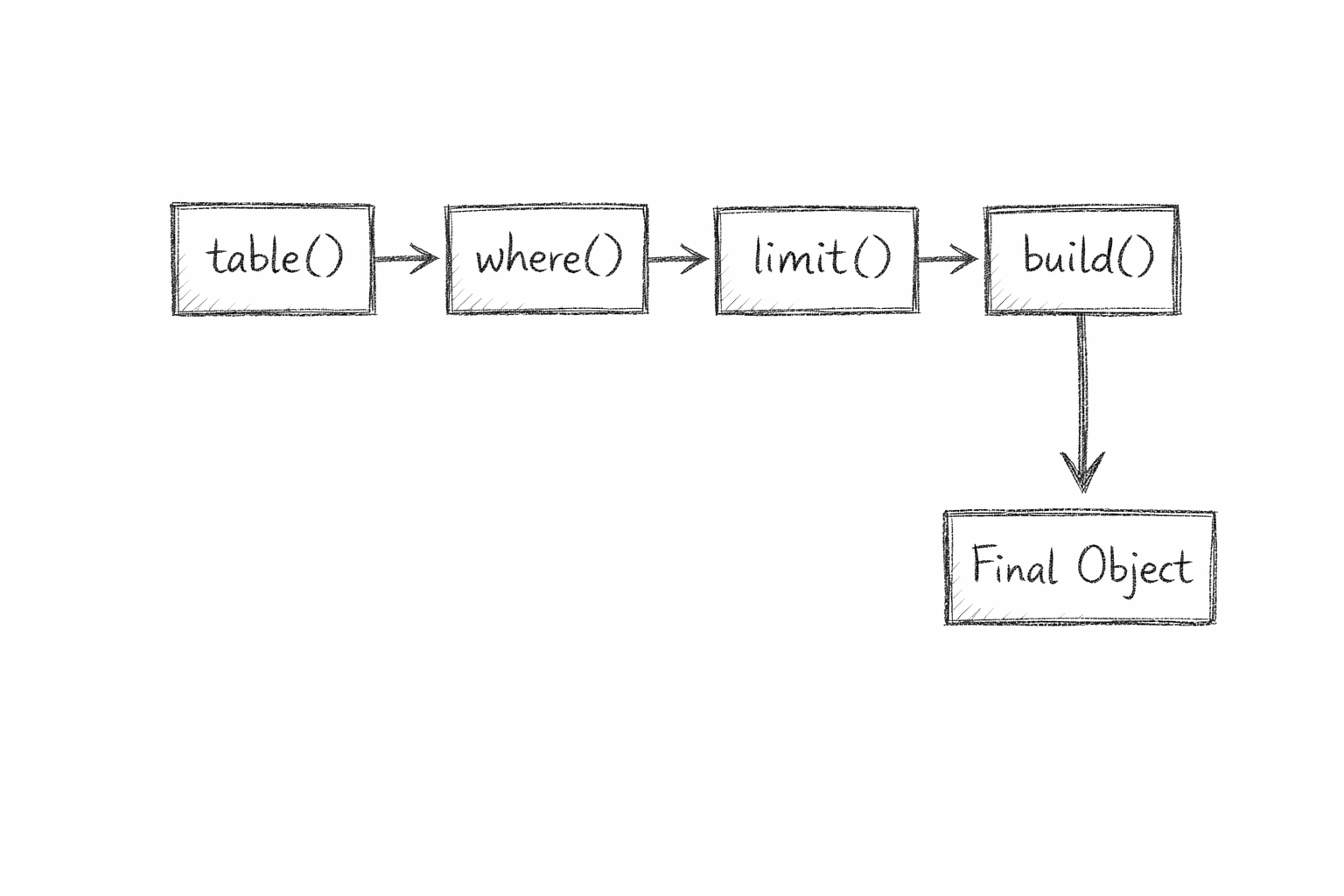
When to use it: When object construction is complex and the options are many. Config objects, query builders, HTTP request clients, test data factories. Anywhere that a constructor call has become a wall of parameters or needs a long comment explaining what each argument means.
The downside: Builder adds classes and ceremony. For a simple object with two or three fields it is overkill and the abstraction costs more than it saves. Reach for it when complexity genuinely exists, not to make simple things look sophisticated.
The idea: Let a factory decide what gets created. Your code just asks for the thing.
Instead of your calling code deciding which specific class to instantiate, you hand that decision to a factory. You tell the factory what you need. The factory figures out which object to create and returns it. Your code never calls new directly on a concrete class. It stays ignorant of the specifics.
Imagine a notification system. Your app needs to send email notifications, SMS notifications, and push notifications. Without a factory, every place that sends a notification needs to know which type to create, and how, and when. Add a fourth type later and you are touching code in a dozen places. With a factory, one place holds that logic. The rest of your code just says give me a notification for this type. The factory handles the rest. Adding a new type means changing one place.
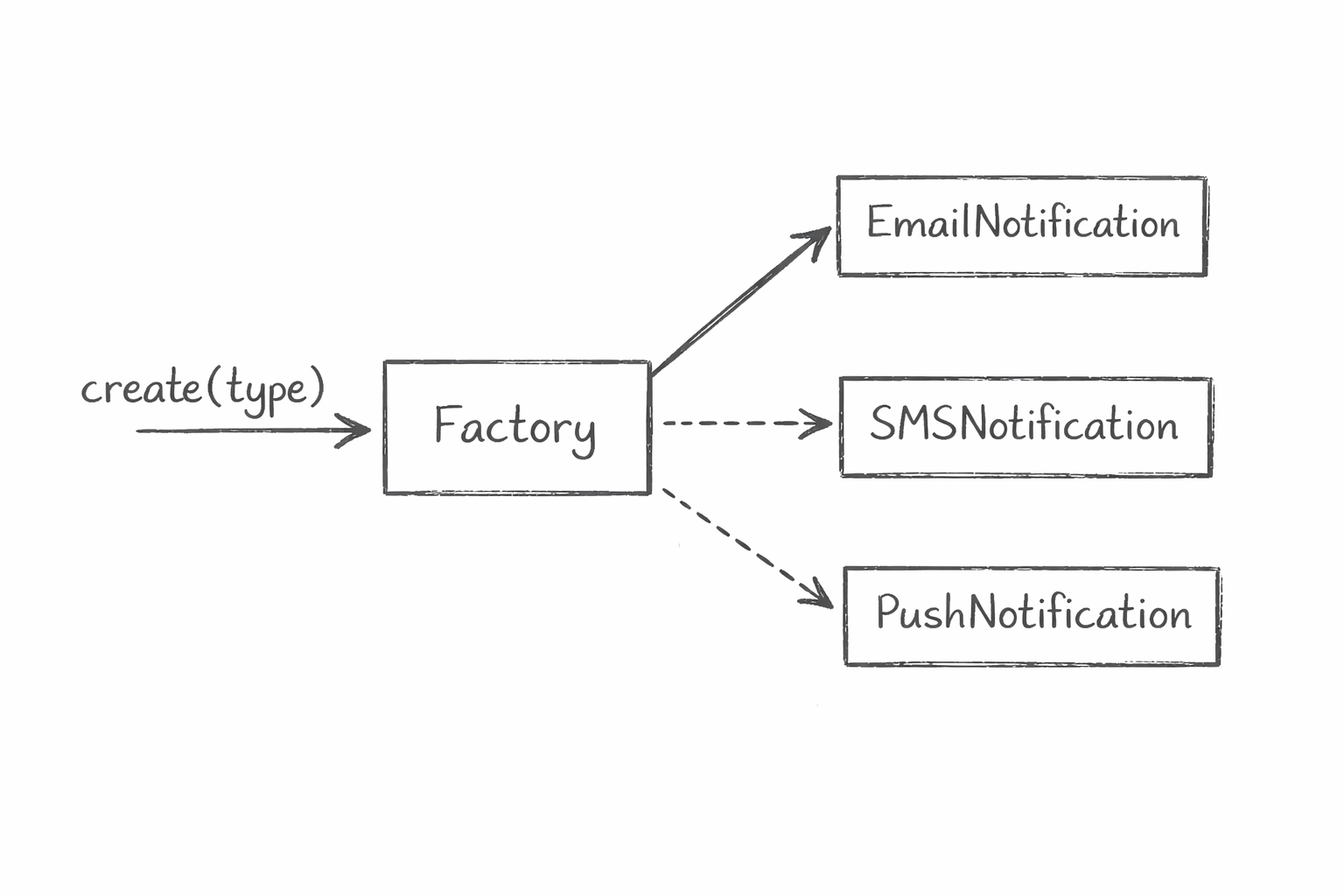
When to use it: When you have multiple classes that share an interface and the decision of which one to use should live in one place. Plugins, parsers, renderers, notification systems, payment processors. Any time you find yourself writing the same type-checking logic in multiple places to decide what to create, the factory belongs in the middle.
The downside: Factories can become a dumping ground. When every new feature gets shoved into one factory class, you end up with a class that knows too much about everything. The pattern works best when the family of objects it creates is genuinely related and bounded.
The idea: One clean door into a complicated building.
A Facade provides a simple interface to a complex subsystem. The subsystem still exists with all its moving parts. The facade just hides them behind a surface that makes sense to the caller.
Think about every third-party SDK you have ever used that made you feel like you needed to read the entire codebase before doing something basic. That is a system that needed a Facade and did not get one. Now think about the ones that felt obvious from the first five minutes. Those probably had one.
The classic analogy is a home theatre. To watch a movie you technically need to turn on the TV, set the input, turn on the receiver, set the volume, load the player, dim the lights, and close the blinds. A Facade wraps all of that into a single method called watchMovie. The complexity still exists. The caller does not have to care about it.
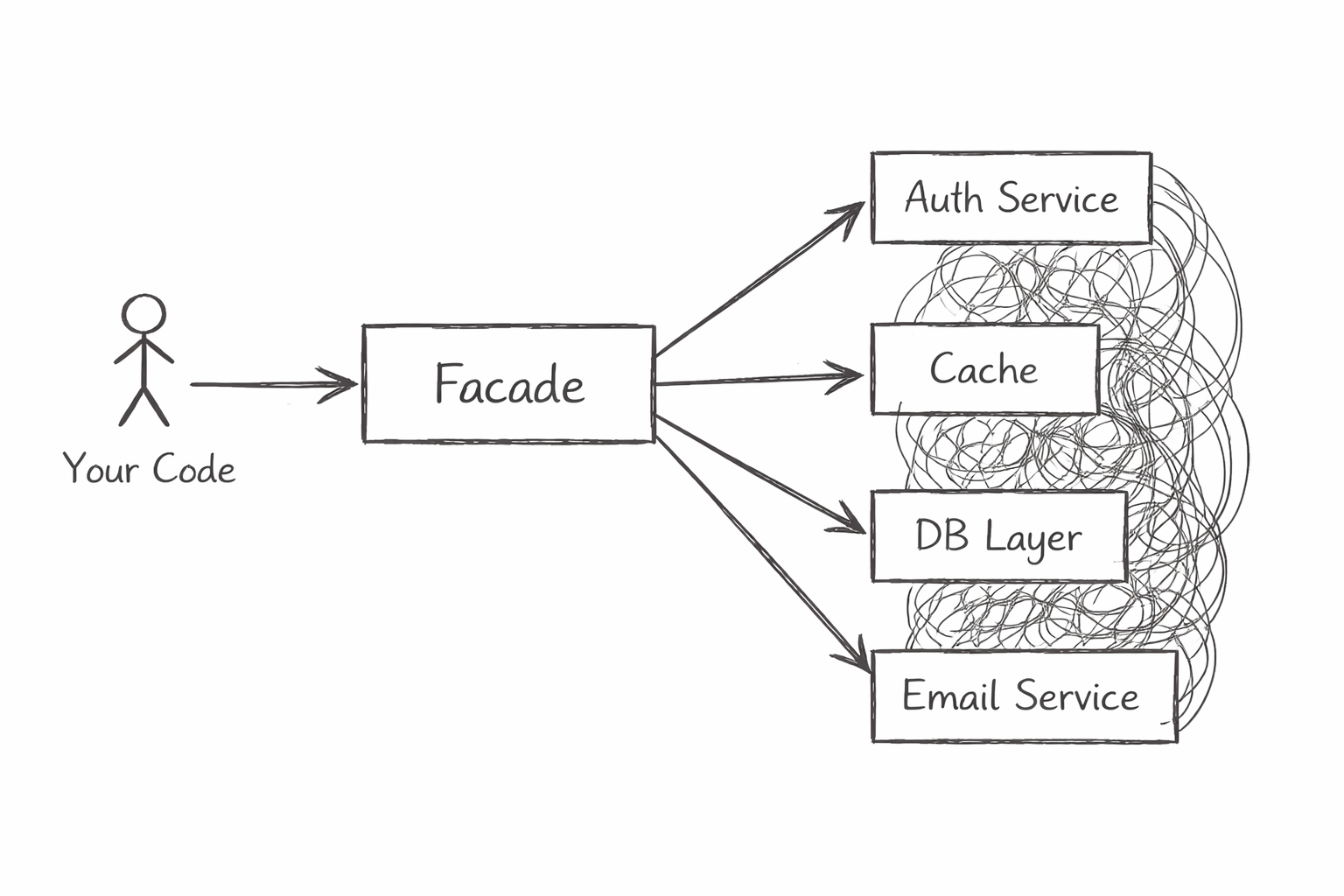
When to use it: When you are working with a complex subsystem that callers do not need to understand in full. When onboarding new developers to a part of the codebase costs too much because the entry point is too complicated. When you want to decouple the rest of your app from the internal structure of a service.
The downside: A Facade can become a lie. If it hides too much, callers lose visibility into what is actually happening. When something goes wrong three layers in, the clean surface works against you. Debugging becomes harder because the thing that looks simple is doing five things underneath.
The idea: Make two things that were never designed to work together, work together. Without changing either of them.
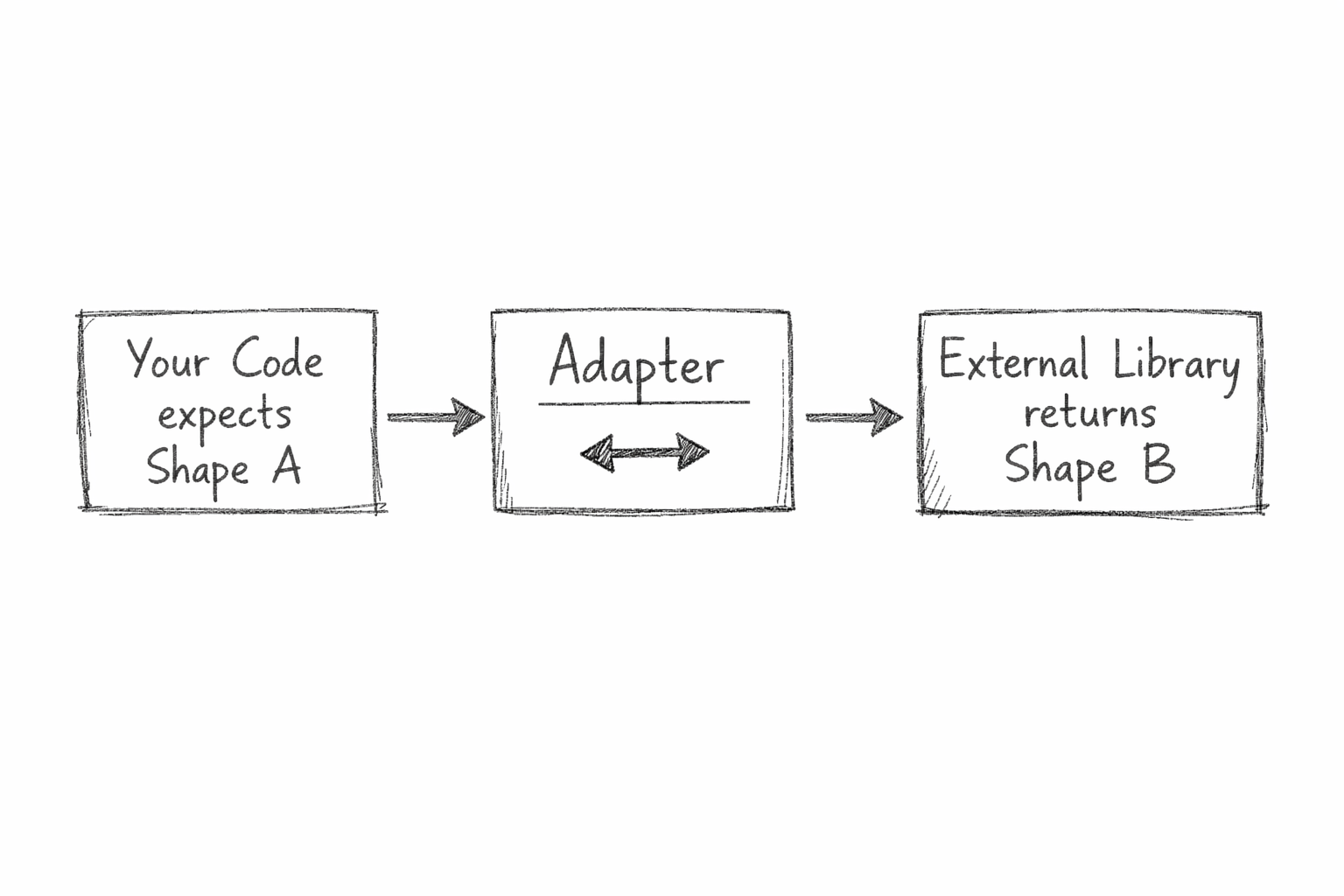
An Adapter sits between two incompatible interfaces and translates. You have code on one side that expects a specific shape. You have a library or service on the other side that provides a different shape. The adapter converts one into the other so neither side has to change.
The real-world analogy is exactly what the name says. A power adapter. The plug from your laptop and the socket in a foreign country were not designed for each other. The adapter does not change the laptop. It does not rewire the socket. It sits in the middle and makes them compatible.
In software this comes up constantly with third-party integrations. You have a payment library that returns data in one format. Your internal order system expects a different format. You could change your order system every time you swap payment providers. Or you could write a thin adapter that converts whatever the payment library returns into the shape your order system expects. Swap providers later and you only change the adapter.
When to use it: When integrating with external libraries, legacy systems, or third-party APIs whose interfaces you cannot change. When you want to protect your core code from changes in external dependencies. When you are migrating from one system to another and need both to work simultaneously during the transition.
The downside: Adapters add indirection. If you have many of them, navigating the codebase means jumping through an extra layer every time. They can also mask design problems. Sometimes the real answer is to redesign the interface, not to paper over the mismatch with an adapter.
The idea: The behaviour changes. The code that uses it does not.
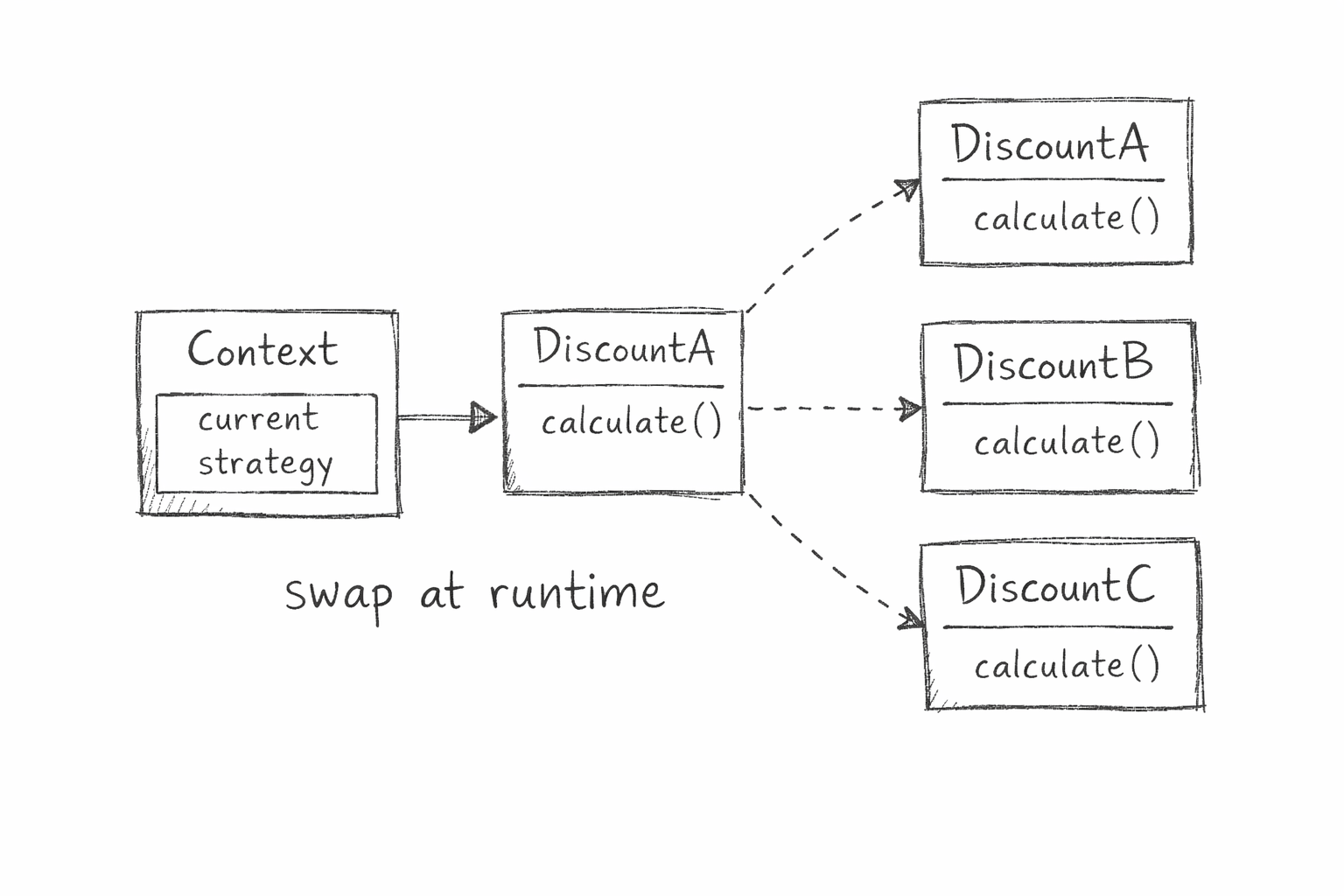
Strategy defines a family of algorithms, puts each one in its own class, and makes them interchangeable. The context that uses the strategy does not need to know which one it has. It just calls it.
The problem it solves is the growing if-else chain. You have a discount calculation. First it is simple, one rule. Then marketing wants a seasonal discount. Then a loyalty discount. Then a bulk discount. Then a regional one. Every new rule means another condition in the same function. The function grows. The tests multiply. Making one change risks breaking another.
With Strategy, each discount rule becomes its own class. The checkout process holds a reference to whichever strategy is active. Swap the strategy and the behaviour changes. The checkout code never changes. A new discount type means a new class, not a modified function.
When to use it: When a class has multiple behaviours that vary based on some condition. When you find yourself with a long if-else or switch statement that keeps growing as requirements change. When different users, contexts, or configurations need different algorithms for the same operation.
The downside: You end up with more classes. For simple cases with two or three behaviours that are unlikely to change, Strategy can feel like over-engineering. It pays off when the number of variants grows or when variants change frequently. Use your judgment about where you are actually headed.
The idea: One thing changes. Everything that cares gets notified. Nothing is tightly connected.
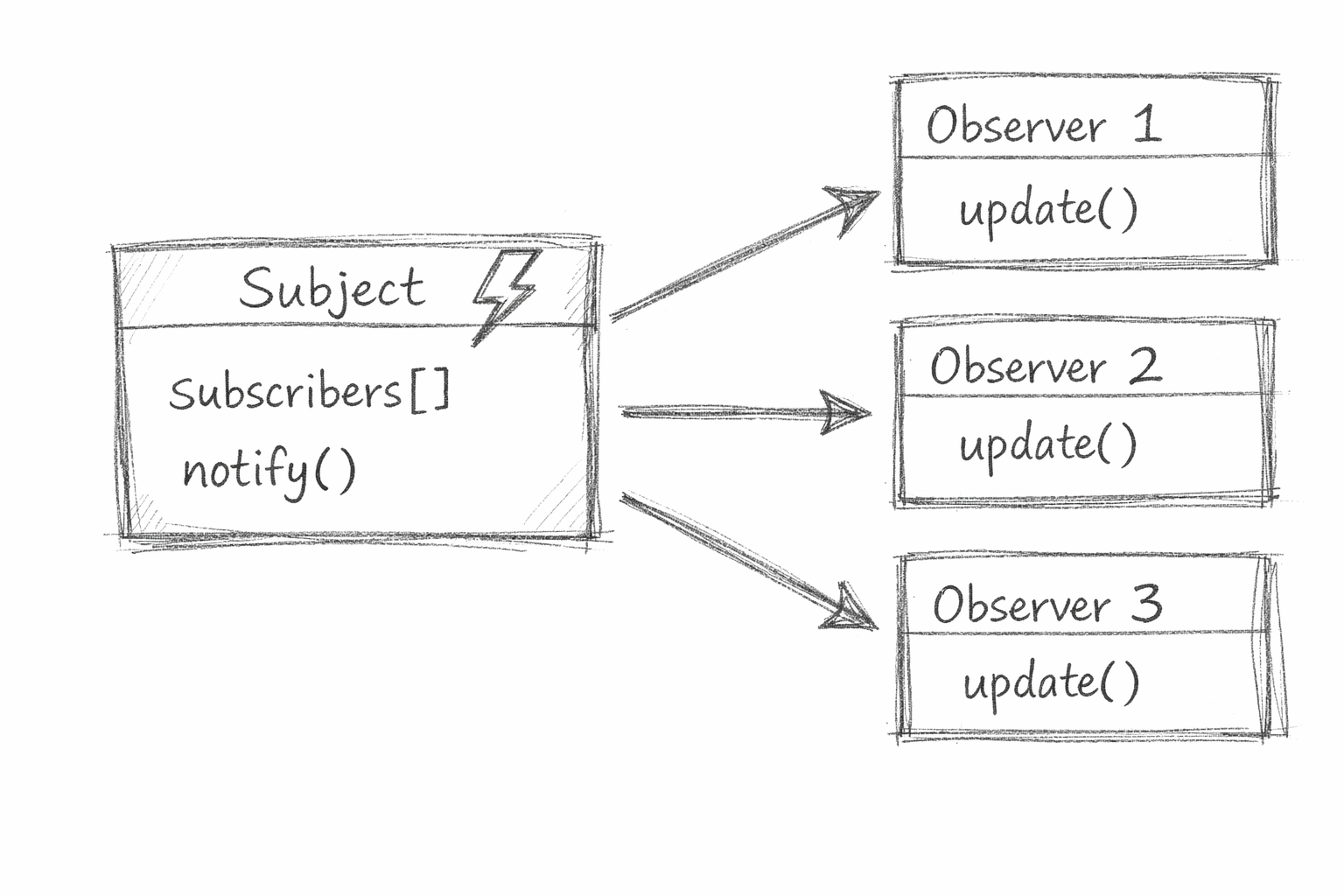
Observer defines a relationship between a publisher and any number of subscribers. The publisher does not know who is subscribed. The subscribers do not need to poll. When something changes in the publisher, it broadcasts. Every subscriber that is registered receives the update.
This is the pattern underneath most event systems you have ever used. DOM events. WebSocket messages. State management libraries. Message queues. The mechanism is almost always Observer under the hood.
The reason it matters is coupling. Without it, the object that changes needs to directly call every object that cares about that change. Add a new thing that cares and you modify the publisher. With Observer, the publisher just announces. Whatever is listening is listening. The publisher does not need to know. New subscribers plug in without touching the publisher at all.
When to use it: When multiple parts of a system need to react to the same event without being tightly coupled to each other. User actions, state changes, system events, real-time data updates. Any time you find yourself writing code where one object manually calls five others when something happens, Observer belongs there.
The downside: Observers can be hard to trace. When something breaks, figuring out what triggered what requires following a chain of subscriptions that is not always obvious. In large systems with many events and many subscribers, the implicit nature of the pattern becomes a debugging challenge. The decoupling that makes it powerful also makes it opaque.
This is the part that most pattern guides skip.
Knowing the patterns is not enough. The developers who overuse them make code that is technically structured but practically unreadable. Every class is a strategy. Every object goes through a factory. The abstraction weight becomes heavier than the problem it was supposed to solve.
The honest rule is this. You should be able to explain in one sentence why a pattern exists in your code. If you cannot, you put it there for the wrong reason.
The patterns in this post are not solutions to every problem. They are solutions to specific recurring problems. Singleton when you need exactly one. Builder when construction is complex. Factory when creation needs to be centralised. Facade when a subsystem is too hard to work with directly. Adapter when two things need to talk and were not built for each other. Strategy when behaviour needs to vary. Observer when many things need to know about one event.
The question is not which pattern is best. The question is which problem do you actually have.
Get that right and the pattern picks itself.
