I deployed a service that I had tested locally for three days straight. It handled 50 concurrent requests in my test suite. It processed data at the speed I expected. Error handling worked. Timeouts fired correctly.
Production load hit 500 requests per second and the entire service locked up.
Not because my code was wrong. Because my code had never actually been tested in any condition that remotely resembled production. I had tested a simulation of a system. Not the system itself.
Local development is not a mirror of production. It is a simulator. And the gap between the two is where most "mysterious" production bugs live.
The Simulator Has No Physics
When you run your app locally, you are operating in an environment of infinite resources with zero consequences.
Your database is on localhost. Latency is 1-2 milliseconds. There is no network packet loss. There is no congestion. When you run a query, it completes immediately because nothing else is competing for that database's attention.
In production, latency is 50-100 milliseconds. There are thousands of other services hitting the same database. Queries queue. Timeouts fire. Connections fail and reconnect. Your code has never seen any of this.
Your API calls return in under 100 milliseconds locally. In production, that same external service is 800 milliseconds away due to routing, CDN proximity, and load. Your code waits. But did you test what happens when it waits that long? Did you build a timeout? Did you think about what happens if that timeout fires while you are halfway through a data transformation?
Probably not, because locally it never happens.
You have one user: you. In production, you have thousands. They all hit endpoints simultaneously. They all read the same database row. They all try to update it. Race conditions that are statistically impossible to hit when one person is testing suddenly become guaranteed events when the load is real.
Local development lets you pretend these things do not exist. They exist immediately when real traffic arrives.
The Numbers Tell a Story Nobody Wants to Hear
A study by Stripe on production incidents found that 43% of critical bugs went undetected in development and only surfaced under production load. Not because the bugs were sophisticated. Because the test conditions were fundamentally different from the operating conditions.
Think about what that means. Almost half of critical failures were invisible during development. Not because developers were bad at testing. Because local development is incapable of generating the conditions that trigger them.
The most common failure categories:
Race conditions (impossible to trigger with one user, guaranteed under concurrent load)
Memory leaks (invisible with small datasets, catastrophic with millions of records)
Connection pool exhaustion (never happens with one client, happens in the first minute with real traffic)
Cascading failures (service A is slow, so service B times out, so service C overloads, etc. — only visible when all three are under load)
Timeout edge cases (your timeout works perfectly in isolation; add latency and concurrent requests and everything breaks)
These are not theoretical. These are production incidents that happen weekly at companies of every size.
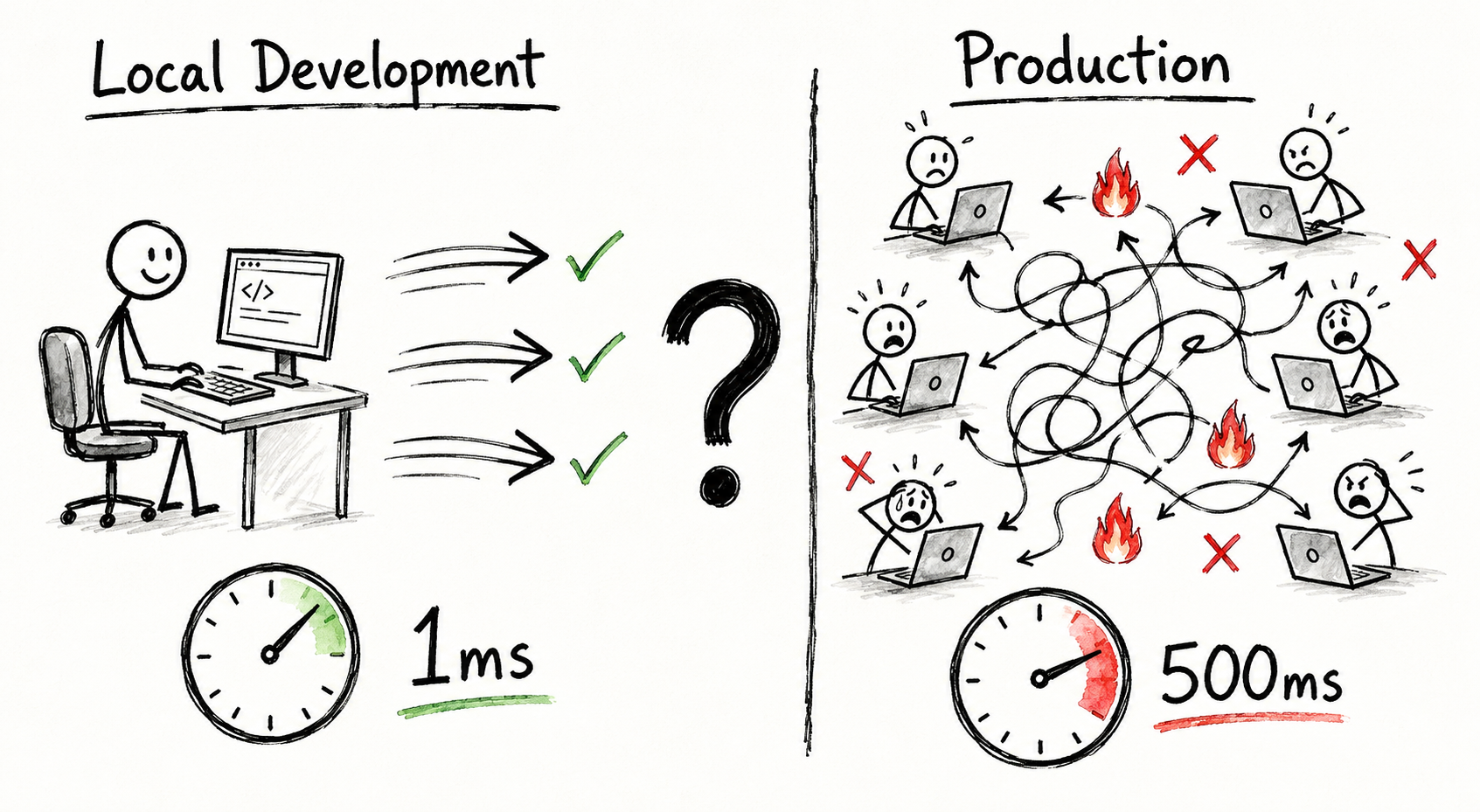
A split-screen diagram: Left side labeled "Local" shows a single stick figure at a computer with fast arrows and happy emojis. Right side labeled "Production" shows many stick figures, slow arrows, tangled lines, and fire emojis. A large question mark between them.
Your Test Suite Is Testing a Fiction
Here is the uncomfortable part. Your test suite probably passes locally. Your integration tests pass. Your load test with 100 concurrent users passes.
And it all means almost nothing.
Why? Because your tests are running in the same fictional environment as your app. They have the same localhost latency. The same unlimited resources. The same single-user simplicity.
You write a test that says "when the database is slow, we timeout after 5 seconds and return an error gracefully." Then you run it locally. The database is fast. The timeout never fires during normal operation. The test passes. You deploy confident that you have handled that case.
In production, the database is slow. Your timeout fires. But your code never actually ran through that path under load. Other services are timing out simultaneously. Your error handler is being called a thousand times a second. Suddenly it is allocating too much memory. Or writing to a log that cannot keep up. Or blocking on a mutex that other timeouts are also waiting for.
The bug was never the timeout logic. The bug was that you tested the happy path and the error path in isolation, never together, never under pressure.
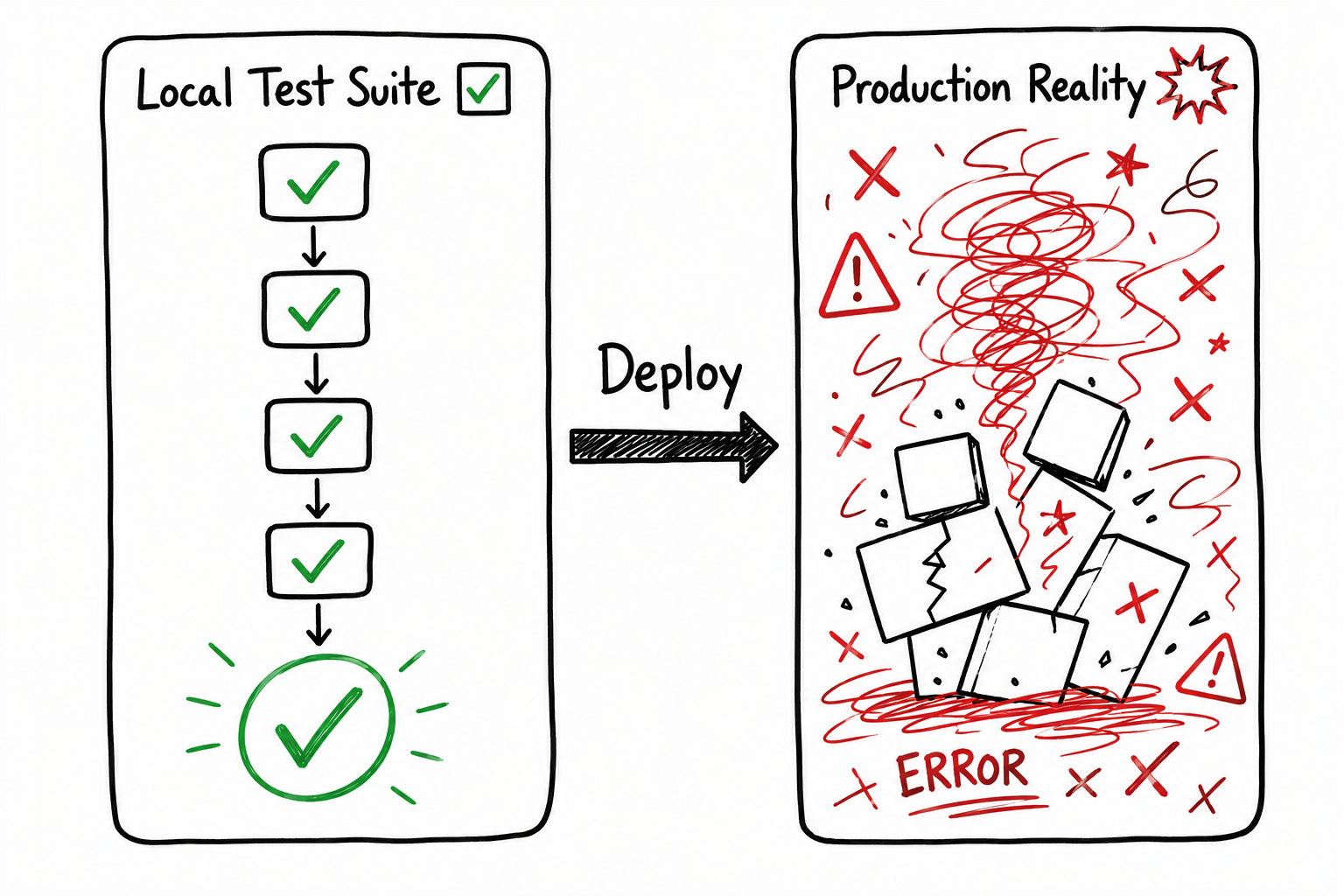
A hand-drawn flowchart showing: Test Suite with all green checkmarks, arrow pointing right, then Production with X marks and explosion symbols. Caption: "Same code, different outcomes".
The Latency Tax Is Not Optional
Let me be specific about one failure mode because it is so common that it deserves its own section.
You call an external API. The call completes locally in 120 milliseconds. You set a timeout of 5 seconds. Plenty of time. You never hit the timeout. You deploy.
In production, that API is 800 milliseconds away. You are calling it 50 times per second. Your timeout is still 5 seconds. But now you have 50 simultaneous requests waiting for 800+ milliseconds each. Your thread pool has 100 threads. After 30 seconds, 60 of them are blocked waiting for that API. 40 threads are free to handle everything else.
But everything else is not actually small. It is more requests to the same API. And the database. And cache operations. All of them are slightly slower in production than locally. So the 40 free threads are also starting to get occupied.
Pretty soon all 100 threads are blocked. New requests queue. Requests that arrived 2 seconds ago are still waiting. The queue fills. Eventually requests start failing because they have been waiting so long they hit your request timeout. Your service starts returning errors.
Locally, you tested calling the API 10 times sequentially. It took 1.2 seconds. You thought: fast enough. You never tested calling it 50 times concurrently. You never tested what happens when the latency is 7x higher than you measured.
The API is not broken. Your code is not broken. Your understanding of how your code behaves under realistic conditions was broken.
What Actually Changes Between Local and Production
Let me list the differences that matter:
Latency. Database calls are 50-100x slower. Network calls are 5-10x slower. Everything is slower and the slowness is not consistent. Some calls are fast. Some are slow. Your code has to handle both.
Concurrency. You have one user. Production has thousands. Request arrival is not evenly spaced. It is bursty. Something goes viral on social media. Suddenly 10,000 users are accessing the same endpoint simultaneously. Your code has never seen this.
Data volume. You have 10,000 records in your test database. Production has 100 million. Your query that was instant is now slow. Your in-memory cache that fit everything before now fits 0.01% of the data. Your assumptions about memory usage were wrong.
Failure modes. Locally, services do not fail. In production, they do. The database goes down for 30 seconds. The cache is unreachable. The message queue fills up. What does your code do? You probably never tested it.
Cascade effects. One slow service makes downstream services slow. Those slow services make their downstream services slow. The slowness compounds. In production, everything talks to everything else. Locally, you tested in isolation.
Noise. In production, there are garbage collection pauses. Context switches. CPU contention. Kernel page faults. None of this happens consistently locally because there is no competing load. Your code runs smooth. In production, it stutters.
Each of these individually is manageable. Together, they create an environment so different from local that bugs that were invisible locally become inevitable in production.
The Gap Grows the Better Your Local Tests Are
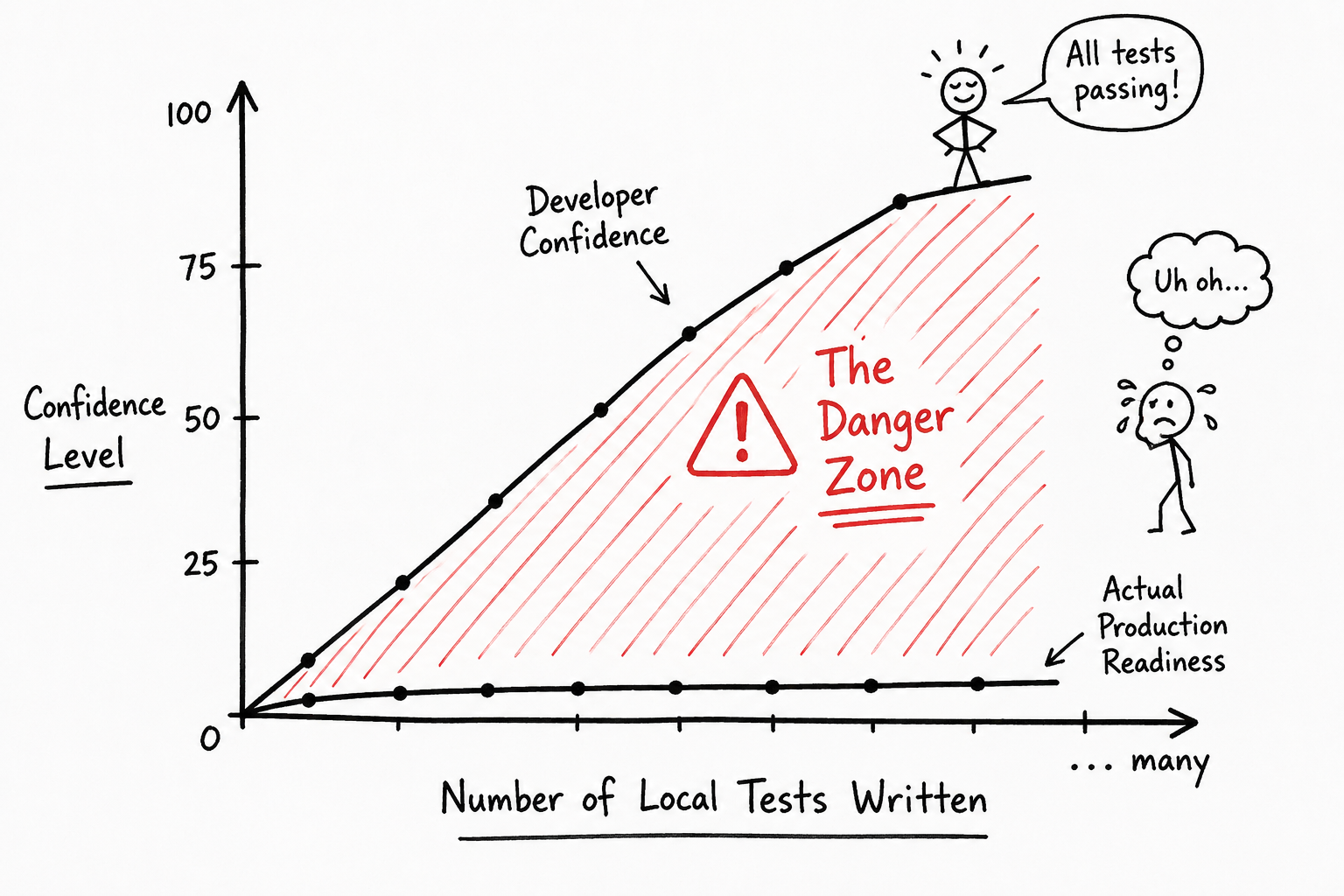
Here is the cruel irony. The more thorough your local testing is, the more confident you become, and the wider the gap between that confidence and reality.
You write 200 unit tests. You write 50 integration tests. You test the happy path and the error paths. You test edge cases. Everything passes. You have a 95% code coverage report. You think you are ready.
But you have tested none of the conditions that actually matter in production. You have tested the behavior of individual functions and small systems. You have not tested the behavior of the complete system under realistic load.
This is why experienced teams do not trust local testing. Not because local tests are bad. Because local tests are a necessary but insufficient condition for production readiness.
A developer I know at a large company described it this way: "Local tests tell me the code does what I think it does. They do not tell me the code does what users need it to do."
A hand-drawn graph with "Confidence" on the Y axis and "Number of Local Tests" on the X axis. The line goes up steeply. A note below says "Actual Production Readiness" which stays flat. A wide gap between them highlighted with "The Danger Zone".
What You Actually Need to Do
If you want code that works in production, you need to test it in conditions that resemble production. That does not mean full production load. It means real conditions.
Run load tests that actually matter. Not 100 concurrent users. Start at the peak load you expect and go 5x higher. Watch what breaks. Fix it. That is your real test.
Inject latency. Use tools that add realistic network delay to your development environment. Simulate what it feels like when the database is 100 milliseconds away. When the API is 500 milliseconds away. How does your code behave?
Test with production-scale data. Restore a snapshot of your production database to your staging environment. Run your code against it. Does your query that was instant on 10,000 rows still complete in 2 seconds on 100 million? No? Then you have a problem you need to solve before production sees it.
Chaos engineer the failure cases. Kill the database connection pool. Delay responses by 10 seconds. Force the message queue to reject messages. Watch what happens. If your code does not handle it gracefully, you will see it here instead of in production.
Monitor your staging environment like it is production. Use the same observability tools. The same dashboards. Watch real request patterns. If something is slow or broken in staging, it will be slow or broken in production.
Use feature flags for gradual rollout. Do not deploy to all users at once. Canary to 1%, then 5%, then 25%, then 100%. Watch the metrics carefully. At each step, real users are testing your code in real conditions. If something breaks, you catch it with minimal impact.
These steps take time. They slow down your deployment cycle. They force you to think deeply about edge cases. They are exactly why they are worth doing.
The Developers Who Never Get Paged
I know developers who almost never have production incidents. Not because they are smarter. Because they operate from the assumption that local development is a lie.
They test differently. They deploy differently. They monitor differently. They expect things to break and they design for it.
They assume latency. They assume concurrency. They assume failure. They test against those assumptions before shipping.
When things do break in production (because they always do), the breaks are small. A feature flag gets disabled. A timeout gets adjusted. A database query gets indexed. No 2am pages. No frantic rollbacks. No "why did this work locally?"
That is not luck. That is what happens when you stop treating local development as a mirror and start treating it as what it actually is: a simulator that is useful for development but useless for prediction.
The gap between local and production is not a technical problem you can fix with better testing frameworks. It is a fundamental difference in operating conditions. The only way to bridge it is to accept that your app will never behave the same in production as it does on your laptop.
And then build accordingly.
Your laptop is not the real world. Stop pretending it is. The moment you accept that is the moment your production incidents stop being mysterious and start being preventable.