A canary release sends a small percentage of traffic (5-10%) to a new deployment while the rest stays on the old version. If the new version has bugs, only a small subset of users see them.
The strategy catches bugs that testing misses: database performance issues, API integration problems, race conditions under real load. These only show up with real traffic.
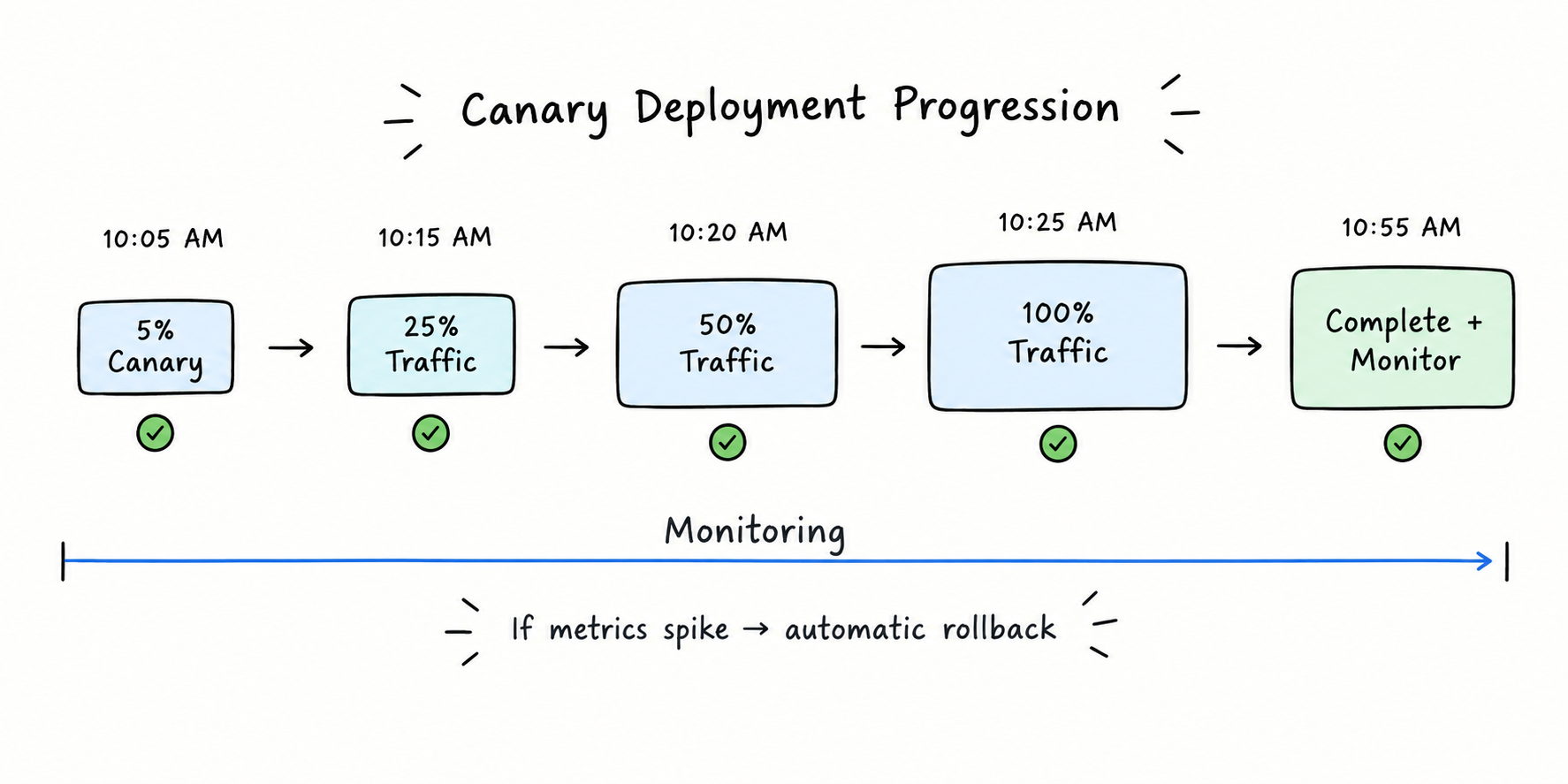
Monitoring metrics matter more than the deployment strategy. You need to detect when the canary is broken (error rate spike, latency increase, downtime) and automatically roll back.
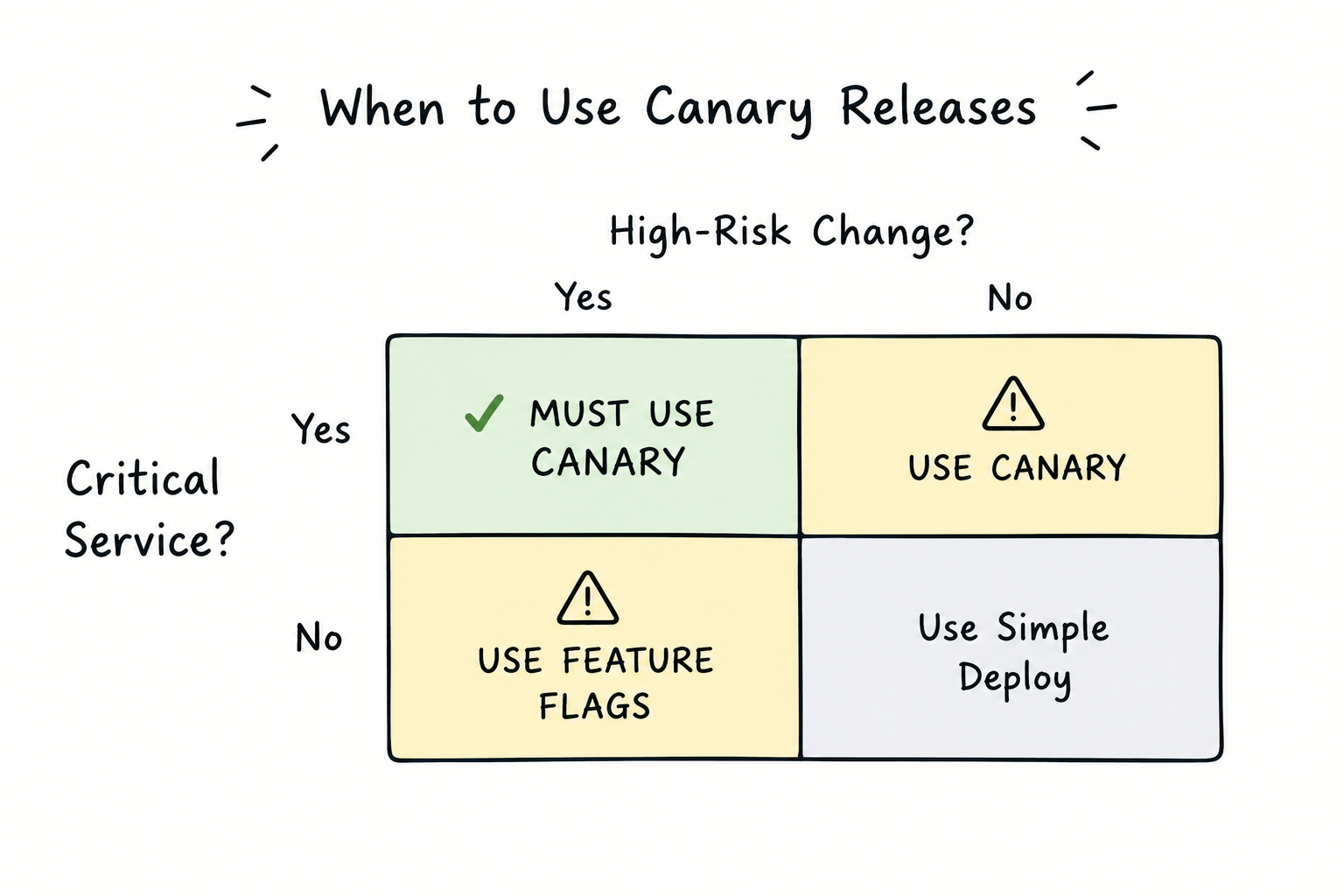
Most teams skip canary releases because they are harder to set up than blue-green deployments. But canary is lower risk. You should use canary for critical services and blue-green for everything else.
I deployed a change that broke 5% of user sessions.
Nobody noticed.
A canary release had caught it. The new version was routing to 5% of traffic. It was throwing errors. The monitoring saw the spike. The deployment automatically rolled back.
Five percent of users saw an error. The other 95% were fine. The incident was prevented before it became a P0.
If I had deployed directly (100% traffic to new version), 100% of users would have seen the error. The incident would have been a crisis. It would have been a 3 AM page. It would have been a postmortem.
Instead, it was a non-event. A deployment that broke something, but nobody knew about it.
That is the power of canary releases.
What a Canary Release Is (And Why It Matters)
A canary release is a deployment strategy where you send a small percentage of traffic to a new version while the old version handles the rest.
The flow:
Baseline: 100% traffic to version A (old)
Canary: 5% traffic to version B (new), 95% traffic to version A (old)
Monitor: Watch for errors, latency, crashes in the 5%
Decision: If metrics are good, increase to 25%. If bad, rollback to 0%
The idea is simple. The execution is hard. But the payoff is huge.
Why Canary Releases Catch Bugs That Testing Misses
Your tests pass. Your staging environment looks perfect. You deploy.
Production breaks.
Why? Because production is not a test environment.
Production has:
Real data (millions of records, edge cases, corruption)
Real load (1000 concurrent users, not 1)
Real latency (network delays, slow databases)
Real failures (timeouts, retries, cascades)
A canary release lets you run production tests with real data and real load, but on 5% of traffic.
Example 1: Database Query Performance
Your query works fine in testing with 10,000 rows. Production has 100 million rows.
SELECT*FROM transactions WHERE user_id = ? ORDER BY created_at DESCLIMIT10
Testing: 10ms
Production: 500ms (because the index is not being used)
Canary catches this. The 5% of users with the new code see high latency. The monitoring alerts. You rollback.
Without canary: 100% of users see high latency. The site is slow for everyone.
Example 2: Race Condition Under Load
Your code handles concurrent requests fine in testing (you test with 10 concurrent). Production gets 1000.
A race condition appears only under high concurrency. It is invisible in testing.
Canary catches this. The 5% of users experience the race condition. Monitoring detects the crash. You rollback.
Without canary: 100% of users are affected. Your site crashes.
Example 3: Third-Party API Integration
Your code calls an external API. Testing assumes the API always responds in 100ms.
Production: The API sometimes times out. The timeout cascades to downstream services.
Canary catches this. The 5% of users with the new code see the timeout behavior. Monitoring detects the degradation. You rollback.
Without canary: 100% of users experience the timeout cascade. Your site goes down.
How to Implement Canary Releases
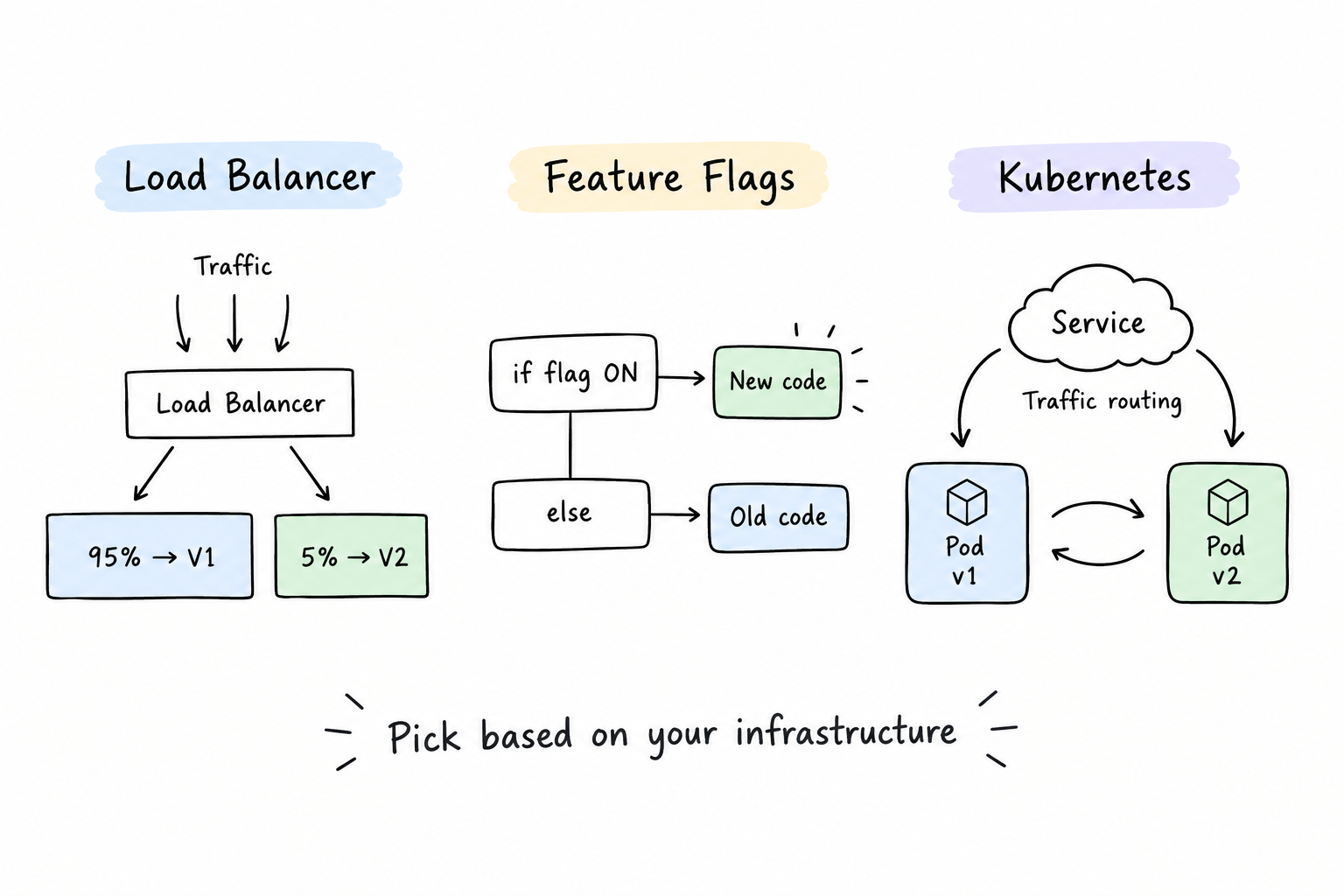
There are multiple ways to implement canary releases. Pick one based on your infrastructure.
A minimal three-stack comparison of deployment strategies. Stack 1: "Load Balancer" shows simple box split into "95% → V1" and "5% → V2". Stack 2: "Feature Flags" shows code branch: if flag ON → new code, else → old code. Stack 3: "Kubernetes" shows two pods (v1, v2) with traffic routing arrows. Bottom text: "Pick based on your infrastructure". Use sketch style, minimal detail, clean layout.
Option 1: Load Balancer (Easiest)
Your load balancer (Nginx, HAProxy, AWS ALB) routes traffic to multiple backends.
Load Balancer├─ 95% → Version A (old)└─ 5% → Version B (new)
You tell the load balancer: "Route 5% of traffic to the new backend." It does. You monitor. You adjust the percentage.
Pros: Simple. No code changes.
Cons: Traffic is distributed randomly. You cannot guarantee specific users stay on one version.
Option 2: Feature Flags
Your code checks a feature flag. If the flag is on, it uses the new behavior. If off, it uses the old behavior.
if (featureFlags.isEnabled("new-payment-flow")) {returnnewPaymentFlow(order);} else {returnoldPaymentFlow(order);}
You set the flag to "enabled for 5% of users." The feature flag service (LaunchDarkly, Unleash) ensures 5% of users see the new code.
Pros: Precise control. You can target specific users.
Cons: Requires code changes. Adds complexity.
Option 3: Kubernetes (Most Flexible)
If you use Kubernetes, you deploy both versions and use a service mesh (Istio) to route traffic.